(Also applies to SNMP notifications)
This guide explains how to properly configure email sending in ForzaTracker using a Gmail account, so you can receive automatic alerts when the UPS detects important events.
STEP 1: Enable access in your Gmail account
Before configuring ForzaTracker, you need to prepare Gmail to allow external software to send emails:
- Go to https://myaccount.google.com and log in to your Gmail account.
- Enable two-step verification (if you haven't already):
- Security → "Two-step verification" → Enable.
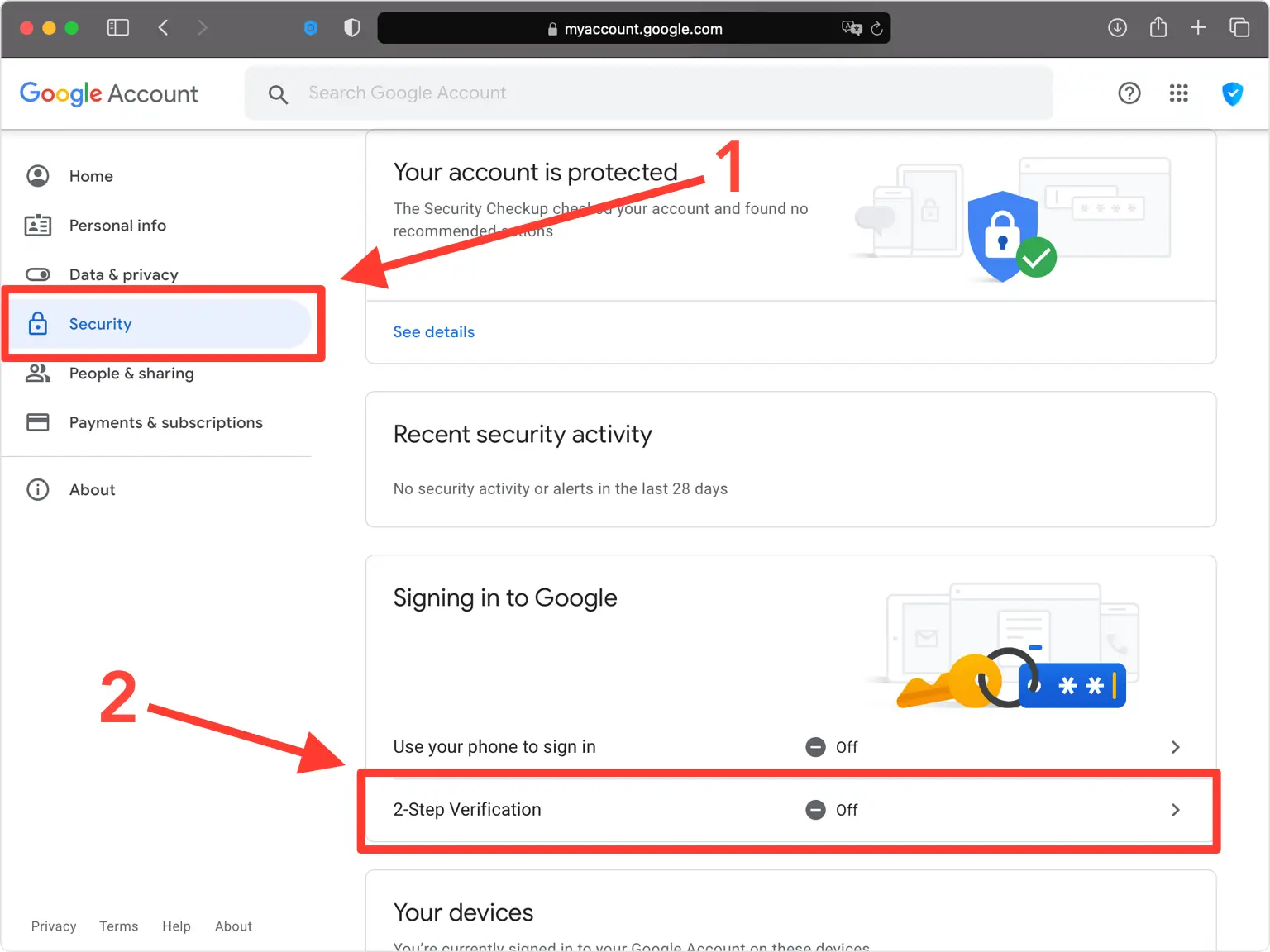
- Security → "Two-step verification" → Enable.
- Create an app password:
- Security → "App passwords"
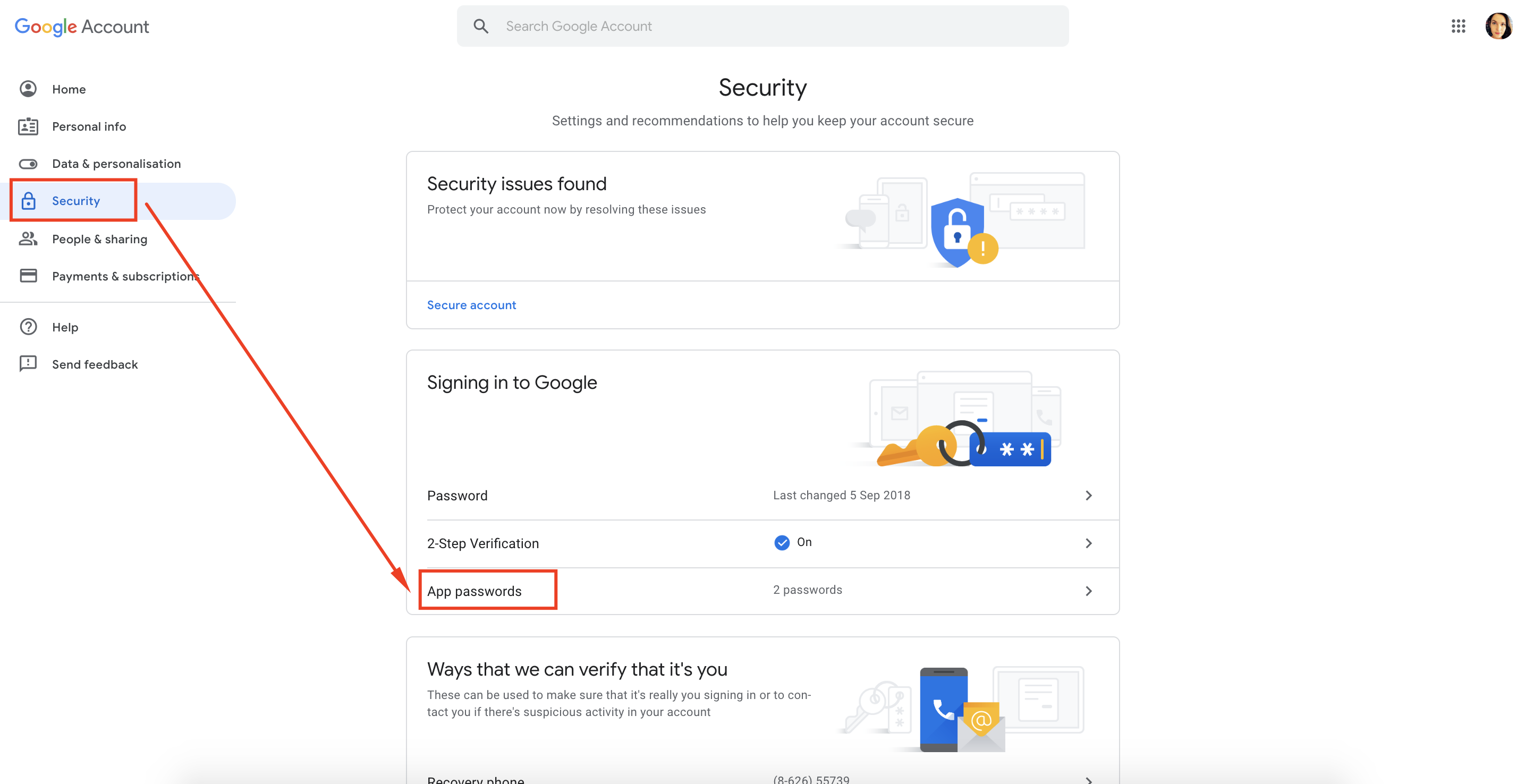
- Select: “Mail” as the app or “Other (custom name)” → enter “ForzaTracker”.
- Save the 16-character password that Google shows you (you will use this instead of your regular password in ForzaTracker).
- Security → "App passwords"
STEP 2: Configure email sending in ForzaTracker
- Open the ForzaTracker program on your PC or server.
- Go to the menu:
Settings / Configuración → Mail Settings / Configuración de correo - Fill in the fields as follows:
| Field | Value |
|---|---|
| SMTP Server | smtp.gmail.com |
| Port | 587 |
| Use SSL | ✅ (Enabled) |
| Sender E-mail | your-email@gmail.com |
| Username | your-email@gmail.com |
| Password | (the 16-character app password) |
| Recipient E-mail | The email where you want to receive alerts |
| Subject | (Optional, e.g. “Forza UPS Alert”) |
- Save the changes.
- Click "Test Mail" or "Send test email" to confirm it works.
- If everything is correct, you will receive a test email in your inbox.
STEP 3: Set up alerts
Now enable notifications:
- Go to Events / Alarm Settings or Notification Settings.
- Check the event options you want to receive by email (for example: power outage, overload, low battery, etc.).
- Save the changes.
Done: When an event occurs on your UPS, ForzaTracker will automatically send you an email through Gmail.
Helpful tips:
- If you do not receive the test email, check your spam folder.
- Make sure port 587 is not blocked by your firewall.
- If you use a corporate Google Workspace account, the administrator must allow the use of app passwords or external SMTP.
- For ForzaTracker to send the events detected by the UPS, the computer must be permanently connected to the UPS via the USB cable. Otherwise, it will not send emails.